

User Guide Get started
What is CovaNode?
One connected workspace for your team's data, documents and processes — in English and Arabic.
CovaNode is an all-in-one workspace for teams. Instead of keeping customers in one spreadsheet, tasks in another tool and procedures in a shared folder, you build each of them in CovaNode and connect them to each other.
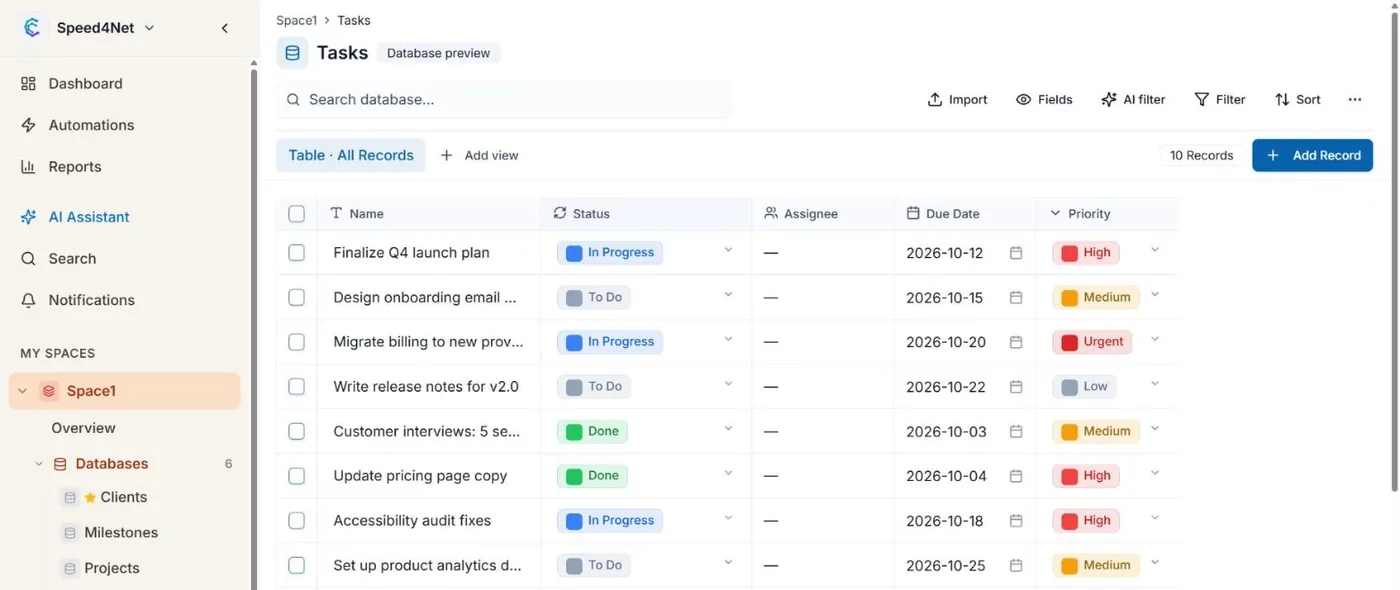
What you can build
- Databases for anything your team tracks: tasks, customers, products, quotes, assets, tickets. You choose the fields.
- Views that show the same records in different ways: a table, a board, a calendar, a Gantt chart and more.
- Documents that your team writes together in real time, with images and links to live records.
- Whiteboards for brainstorming with sticky notes and shapes.
- Automations that do repetitive work for you, such as setting a field or sending a notification when something changes.
- Reports and dashboards with charts and totals across your data.
- PDF templates that turn a record into a branded document, such as a quote or an invoice.
Everything shares the same members, permissions and search, so a record you create in one place can be linked, reported on and automated everywhere else.
Who it is for
CovaNode is built for teams that have outgrown spreadsheets and scattered tools: operations, sales, projects, support, HR and small companies that want one place to run their work. Every screen works in English and Arabic, with full right-to-left support.
Where to go next
- Read Core concepts to understand how a workspace is organized.
- Follow the Quick start to build your first space in about 15 minutes.
- Look up details in Fields and Views when you need them.
Tip
You can try everything on the Free plan. See Pricing for what each plan includes.
Last updated: